
1
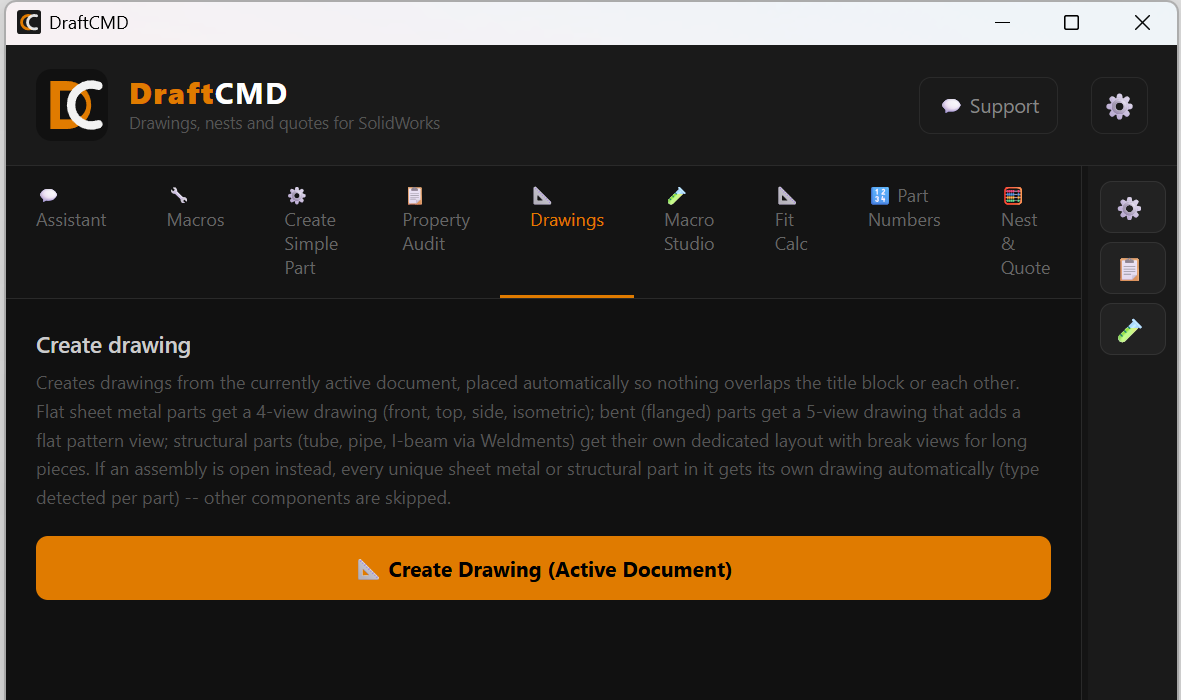
Automatic drawings
Drawings with the right views for flat, bent and structural parts. Make one, or run a whole assembly in a batch. Learn more
A SolidWorks add-in for fabricators
DraftCMD runs inside SolidWorks and takes over the repetitive work for sheet metal, plate, tube and structural parts: the drawings, the nesting, and the numbers behind your quote.
A docked panel with a tab for each job. These are real screens.
One panel inside SolidWorks. No exporting, no spreadsheets to copy from.
Drawings with the right views for flat, bent and structural parts. Make one, or run a whole assembly in a batch. Learn more
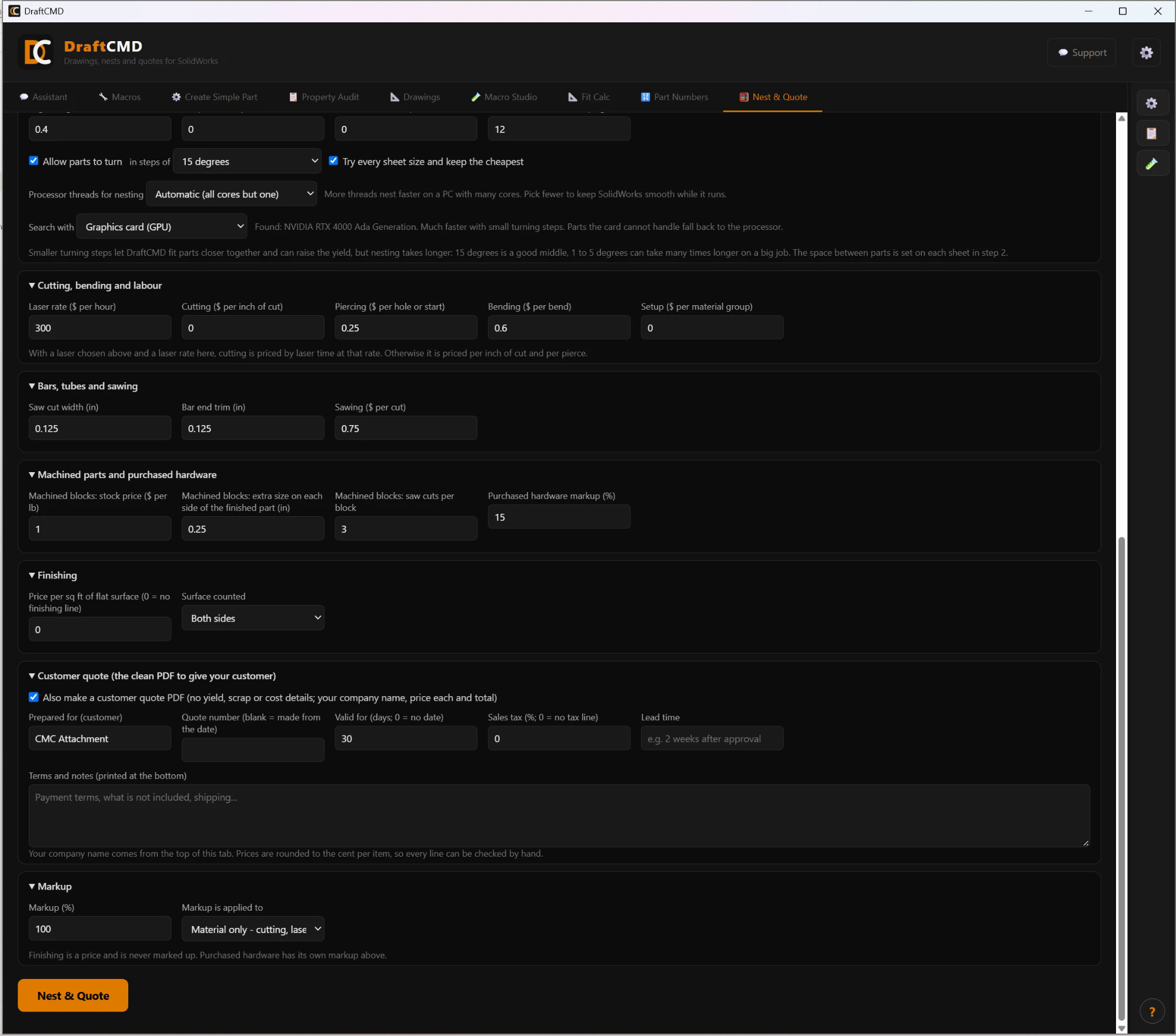
Flatten your parts, nest them on your stock, cut tube and bar from stock lengths, and get a priced PDF with yield, scrap and offcuts. Learn more
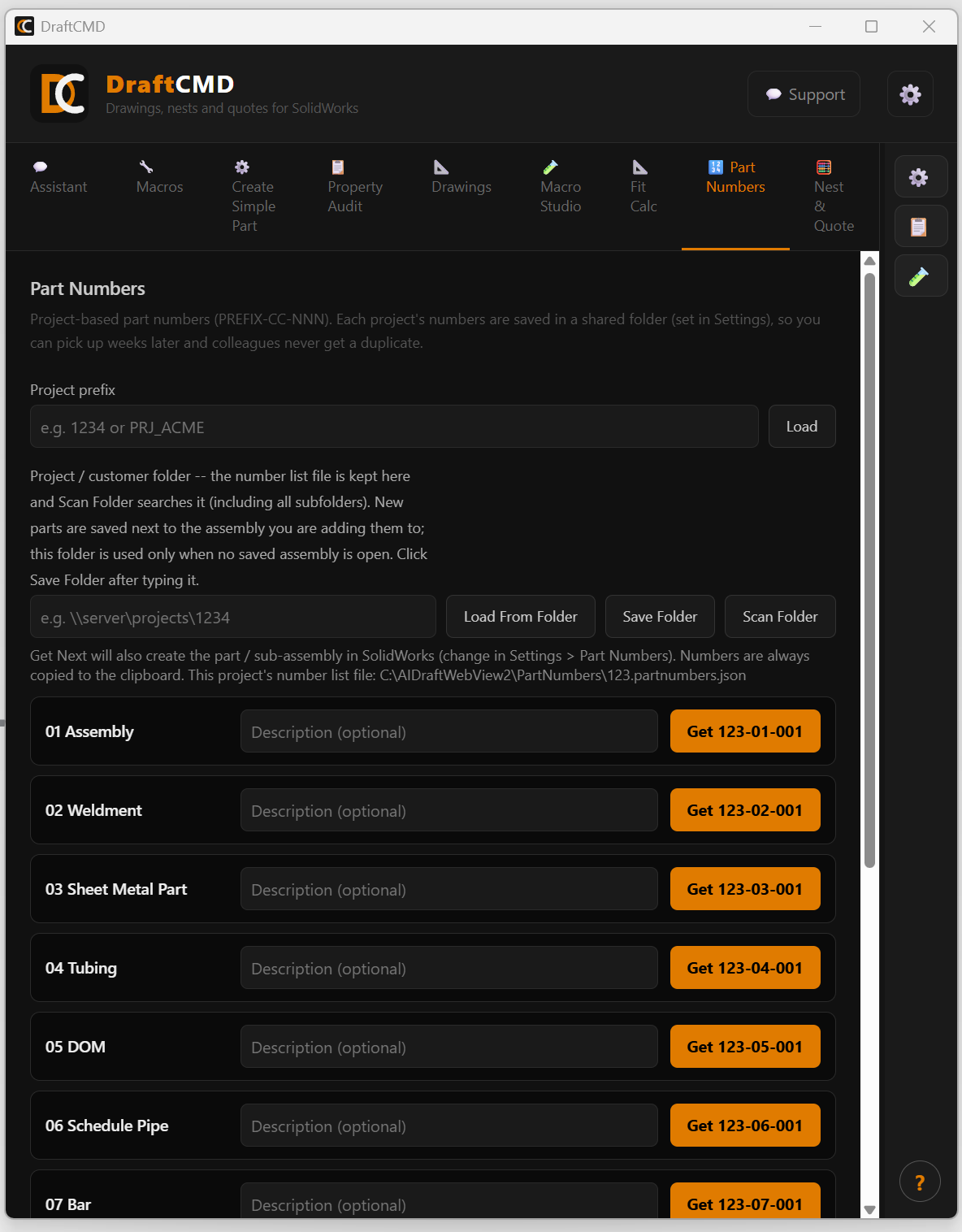
Project-based numbers kept in one shared list so a colleague never gets a duplicate. Optionally create the part right in your assembly. Learn more
Tell SolidWorks what you want done in plain English and DraftCMD builds the macro and runs it. Save it, reuse it, share it. Uses your own Anthropic key. Learn more
ISO 286 hole and shaft fits with the tolerances worked out for you. Learn more
Check custom properties across an assembly, and keep your favourite quick actions one click away. Learn more
Nest & Quote
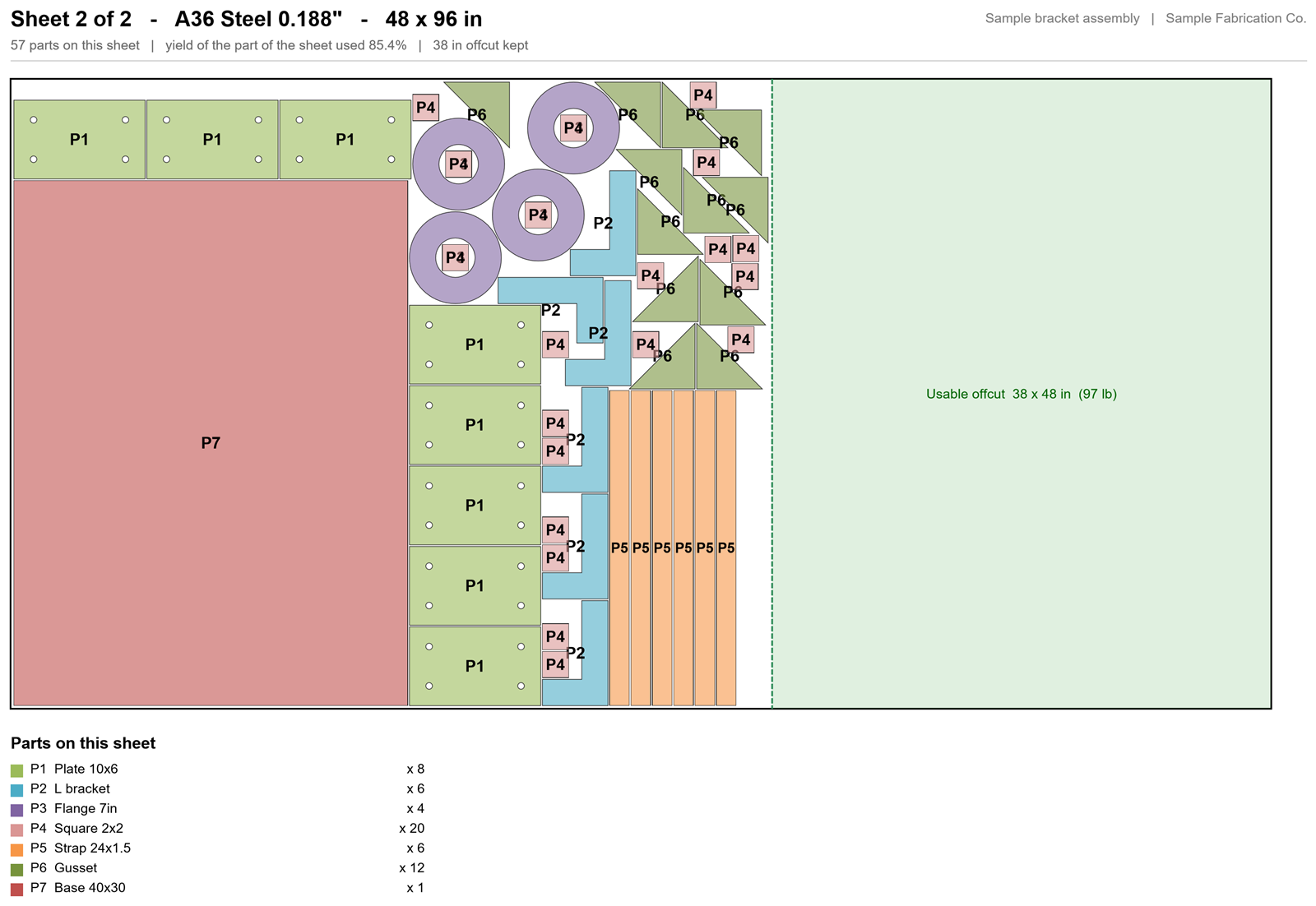
Open your assembly, press one button, and get a report you can hand to a customer or use to buy material.
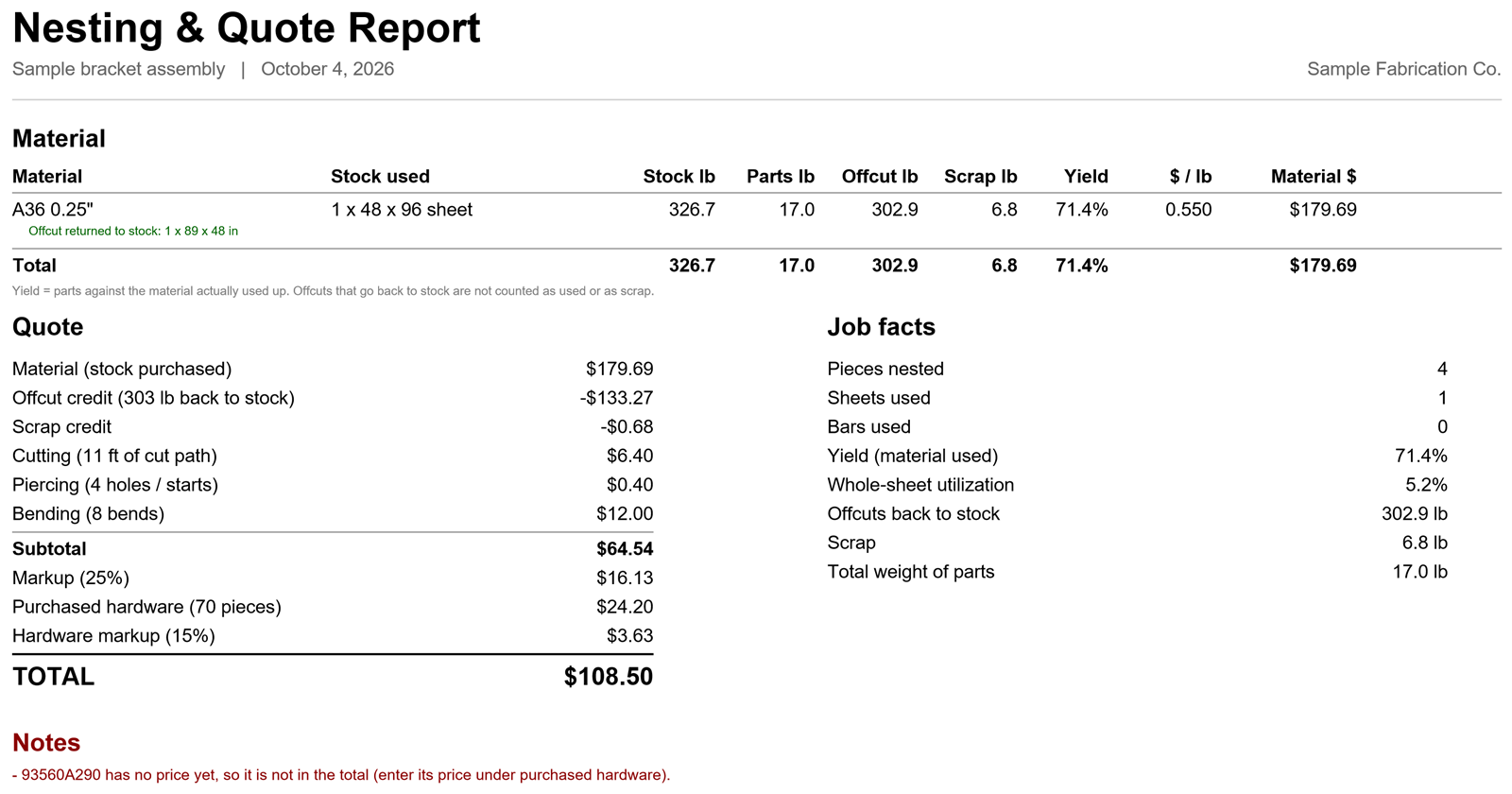
The nest is a quoting estimate that follows your real outlines closely. It is not a replacement for your cutting software.
Three steps, all inside SolidWorks.
Run the installer, paste your activation key, and add your own Anthropic key if you want the AI features.
Pick the DraftCMD tab you need. Nest & Quote reads the open assembly, or a folder of parts, and shows what it found.
Check quantities and prices, press Nest & Quote, and open the PDF report. Drawings save next to your parts.
What stays on your computer, and what does not.
Models, drawings and part geometry are read on your PC. DraftCMD does not upload them.
You use your own Anthropic account. The key is stored encrypted on your computer and is never sent to us.
Send a bug report or a question from inside the panel, and see updates and what changed in each one.
Try everything free first, then pick a plan.
Prices in US dollars, before any taxes. The yearly plan is paid in full up front. Renewal and refund terms are agreed with you when you buy.
Straight answers.
A Windows computer with SOLIDWORKS installed and an internet connection for activation and updates. The AI features also need your own Anthropic API key. Drawings, Nest & Quote and part numbers do not.
[Supported versions to be confirmed before launch.]
No. Your SOLIDWORKS files are processed on your computer. The only things that leave it are your licence check, any support case you choose to send, update checks, and, when you use an AI feature, your request sent directly to Anthropic with your own key.
No. It is a quoting estimate that follows your parts' real outlines to give honest yield, scrap and cost figures. Always verify before you cut or buy.
DraftCMD recognises McMaster-Carr part numbers in your assembly and counts them. You enter each price once and it is remembered for next time, because McMaster-Carr does not offer a public price list.
DraftCMD checks for new versions and shows what changed. You choose when to install, and the installer asks before closing SOLIDWORKS.
Use the Support button inside the panel to send a bug report, feature request or question. You only see your own cases.