
Macros
Every quick action DraftCMD can run, plus your saved scripts, in one searchable list with a pinned shortcut bar.
The Macros tab is the shelf for everything you run more than once.
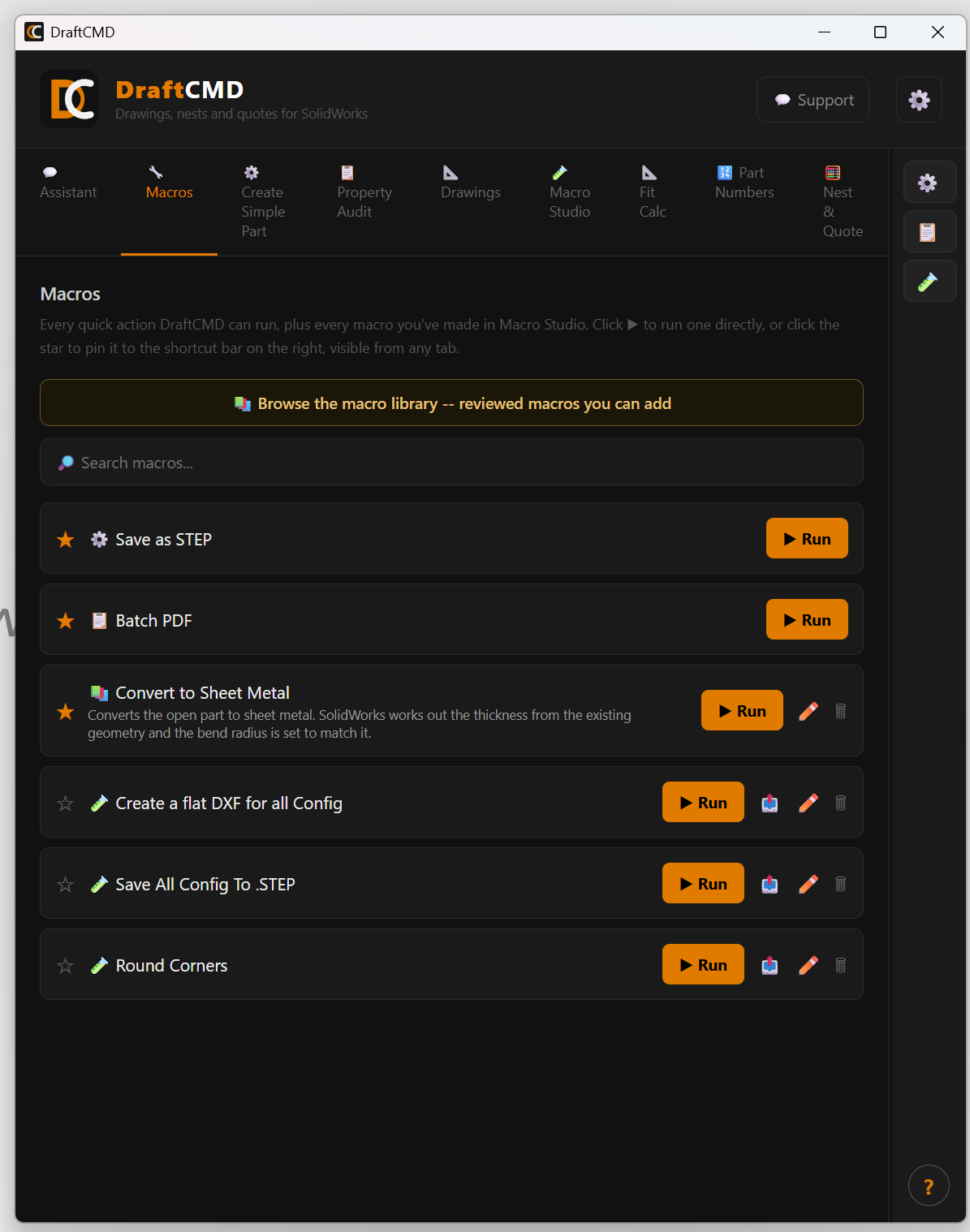
What is in the list
- Quick actions built into DraftCMD, such as Save as STEP and Batch PDF.
- Macros you made in Macro Studio. When a Macro Studio macro does what you need, save it and it shows up here. Saved macros can be renamed or deleted with the pencil and bin icons.
Run, search, pin
- Press Run to run an item directly.
- Use the search box to filter by name.
- Click the star to pin an item to the shortcut bar on the right edge of the panel. The bar is visible from every tab, so your most-used actions are always one click away.
What it costs
A macro shortcut or saved macro uses 1 credit on the free trial. Licensed plans have no credit limit.