
Features / Guides / Create Simple Part
Create Simple Part
Describe a plate, disc, bar or sheet metal blank in a sentence and have it built in SolidWorks.
A lot of parts are simple: a square plate with a centre hole, a round disc, a flat bar with two holes. Describing them takes less time than modelling them.
How to use it
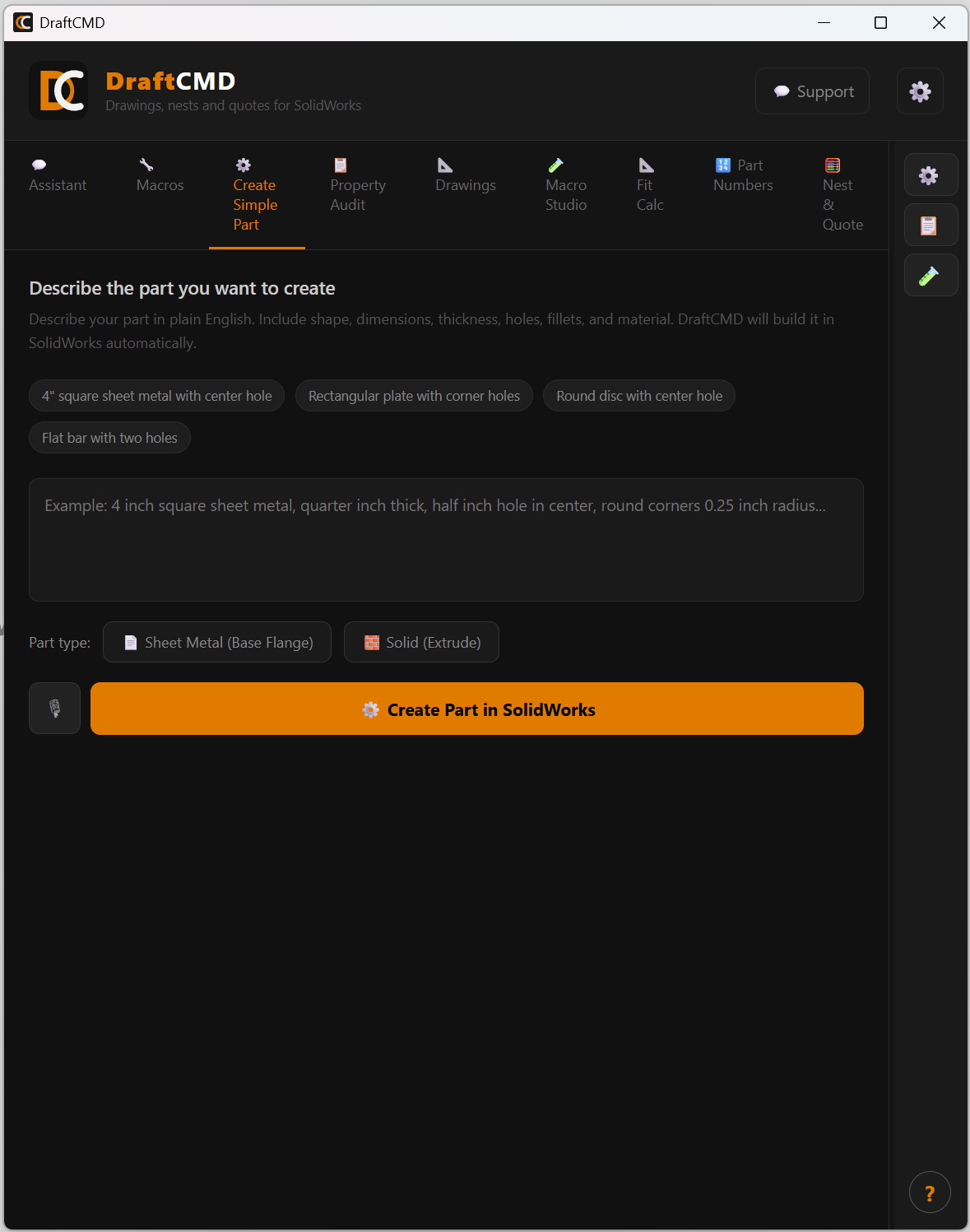
- Click a starter example, or write your own. Include the shape, dimensions, thickness, holes, fillets and material. An example: "4 inch square sheet metal, quarter inch thick, half inch hole in center, round corners 0.25 inch radius".
- Choose the part type: Sheet Metal (Base Flange) or Solid (Extrude).
- Press Create Part in SolidWorks.
You can also dictate the description with the microphone button.
Where it fits
Use Create Simple Part for the basics. For anything unusual, or a task that is not about creating a new part, use Macro Studio, which turns your request into a plan you can review first.
What it costs
5 credits on the free trial, charged only when the part is created. Licensed plans have no credit limit. It uses your own Anthropic API key.